Collating Multiple Sheets into ONE file
This process is fairly simple, provided you know how the code works.,
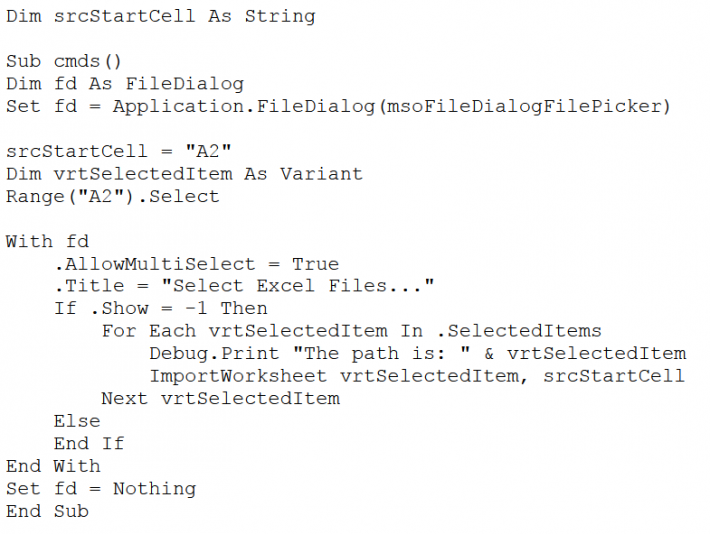
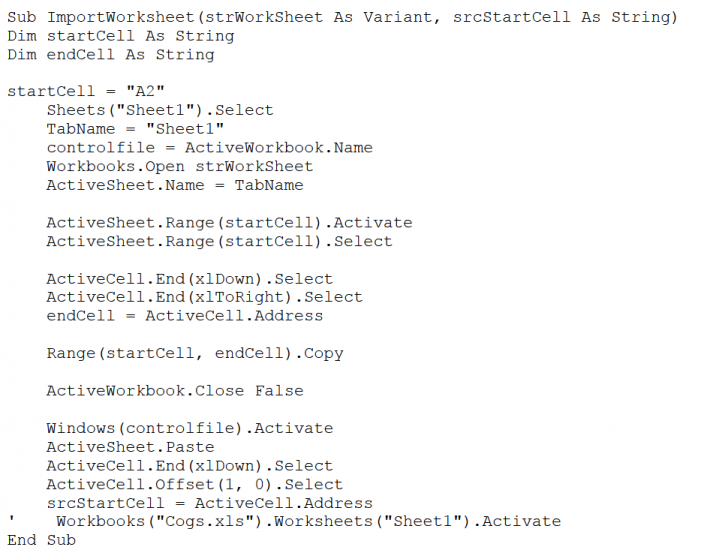
I am publishing code here, which you can copy and paste into Excel.,
after following the given procedure to do so.
Example: If each sheet from different files are to be imported to the current workbook,
then following procedure / Code will he helpful.
Where do we USE: If there is a team of 10 people,
maintaining excel files the same type of data in a single workbook, in their work.
Procedure
- Press Alt + F11
- Copy Code from here and paste into Code Window
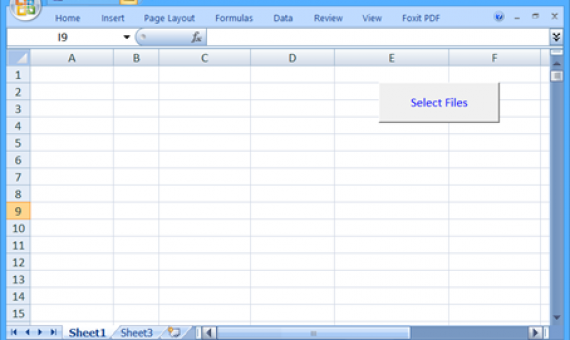
- Place a Command Button on WorkSheet
- Assign this code to the command button
- Compile this code by pressing Alt + D, L
User Activity
- Click on the Command Button
- a File Open Dialog box is displayed
- Select the files that are to be added to the current workbook
- Click OK on the FileOpen Dialog box
- Compile this code by pressing Alt + D, L
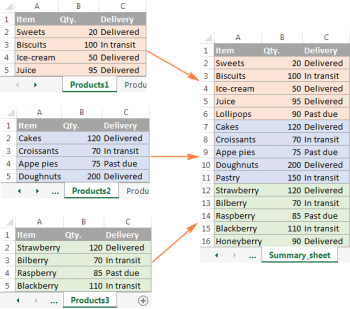
Expected OutCome..
Sample Code:
The following images are for your reference:
Sample Sheet 01 (Data source: Internet - generic Data)
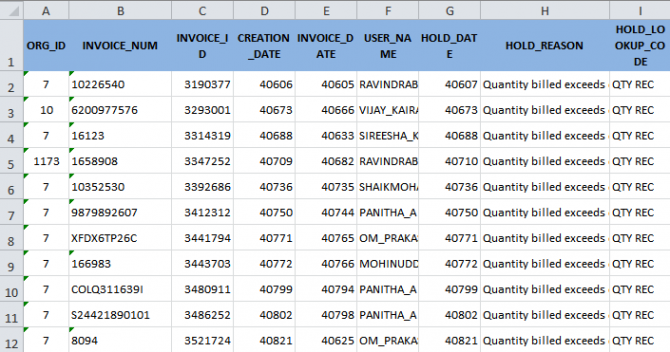
Sample Sheet 01 (Data source: Internet - generic Data)
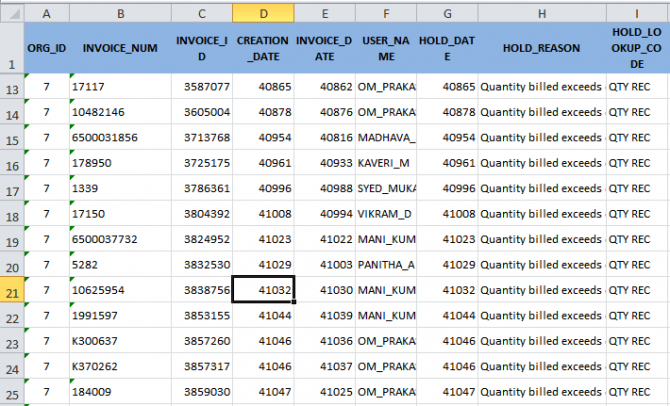
Consoliated Data Sheet (Data source: Internet - generic Data)
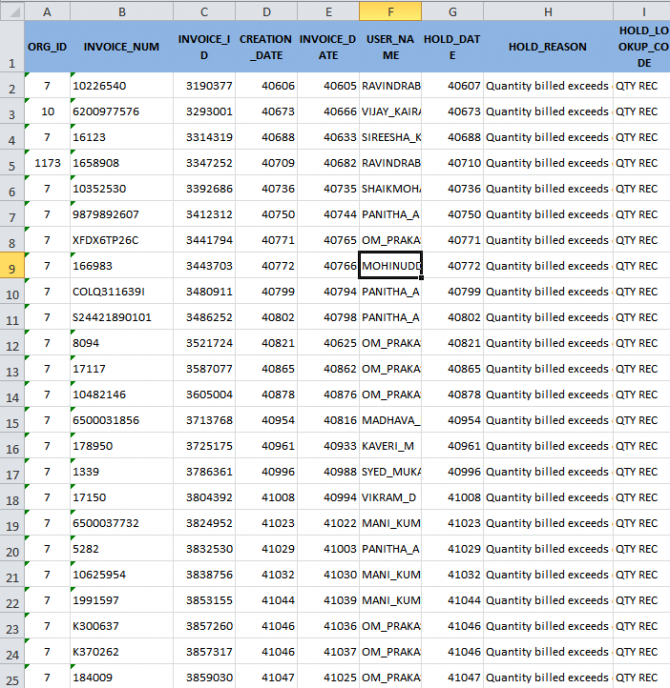
Images for reference only..
Sample Sheet 01 (Data source: Internet - generic Data)
Sample Sheet 01 (Data source: Internet - generic Data)
Consoliated Data Sheet (Data source: Internet - generic Data)